




Table of Contents
ToggleRILEK77 Deposit Guide Malaysia: DuitNow, Banking & Limits
When starting a new journey on online betting platforms, secure, fast, and low-cost transactions are among the top priorities for Malaysian players. At RILEK77 Casino, we support a wide range of trusted payment methods with flexible deposit amounts, allowing every player to adjust their spending according to their betting goals. Rated by 92.4% of users as offering fast transactions and low fees, RILEK77 continuously improves its payment processes.
In this guide we cover how the RILEK77 deposit system works, the deposit process, minimum and maximum limits, processing times, and the terms you should know. Common issues are explained too, such as why the registered account name and the payment account name must match, and what to do if money has been deducted but your balance has not updated.
Last updated: July 31, 2026
RILEK77 Deposit Methods at a Glance
Here are the available payment options RILEK77 supports for local players:
| Deposit method | Minimum | Maximum | Processing time | Fee | Bonus eligible | Status |
|---|---|---|---|---|---|---|
| DuitNow QR | MYR 10 | MYR 10,000 | 5 minutes | No | Yes | Available |
| OnePay | MYR 10 | MYR 30,000 | 5 minutes | No | Yes | Available |
| FPay DuitNow | MYR 10 | MYR 5,000 | 5 minutes | No | Yes | Available |
| Touch ‘n Go eWallet | – | – | – | – | – | Unavailable |
| Manual bank transfer | MYR 10 | MYR 10,000 | 5 minutes | No | Yes | Available |
| Crypto | USDT 5 | USDT 10,000 | 5 minutes | No | Yes | Available |
Last checked: July 31, 2026
Note: availability through a payment gateway does not prove every method is offered by RILEK77, so review the available deposit options to avoid delays. Deposit limits may also vary depending on your VIP status.
What Is the Best RILEK77 Deposit Method?
There is no single best payment method. Compare deposit limits, confirmation speed, ease of use, bonus eligibility, availability during bank maintenance, and mobile support to decide which suits you:
- Best for QR users: DuitNow QR
- Best for direct online banking: Manual bank transfer (Maybank, Affin Bank, Hong Leong Bank)
- Best for e-wallet users: OnePay, FPay
- Best for larger deposits: OnePay
- Best when another method is unavailable: USDT
Are RILEK77 Deposit Methods Available 24/7?
Deposit transactions are not available around the clock, as they are subject to processing steps:
- Cashier availability: automated review 24/7
- Payment-network availability: 06:00 to 18:00 daily
- Bank maintenance windows: based on selected bank
- E-wallet downtime: varies by wallet
- Manual processing: under 1 hour after submitting
- Public holidays: usually unavailable
How to Deposit Money at RILEK77
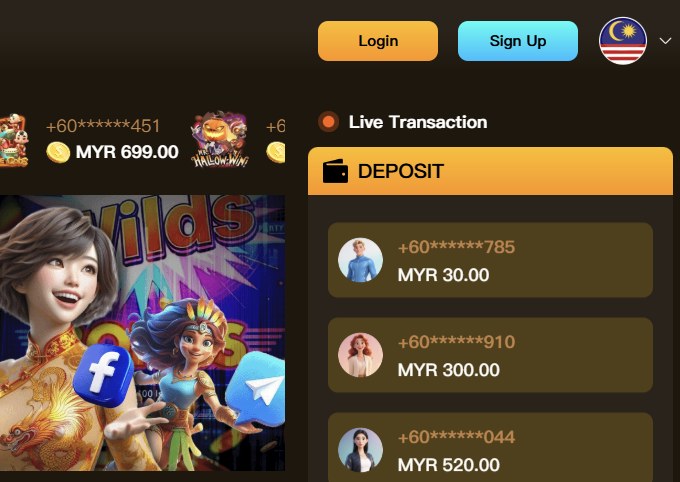
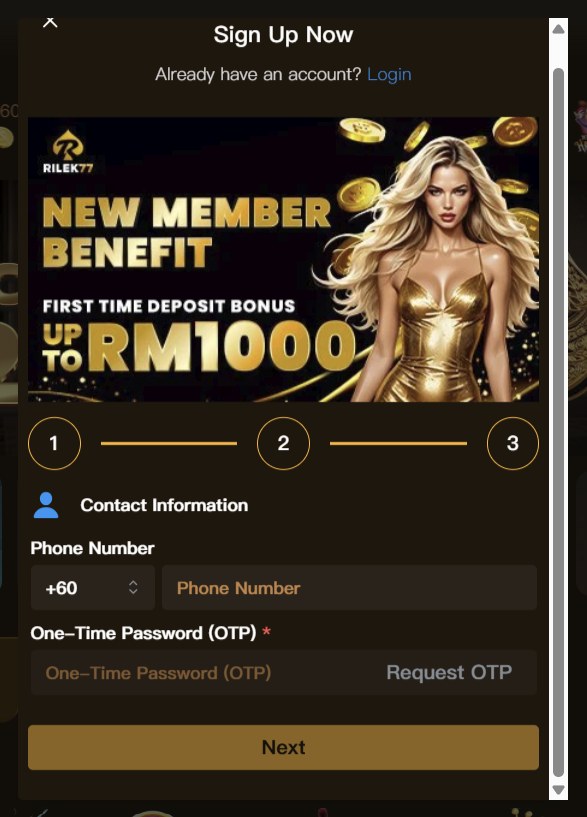
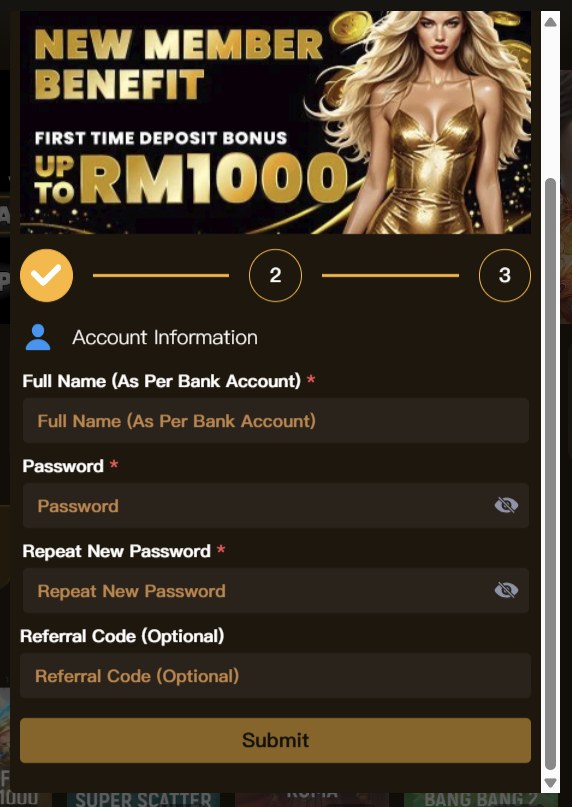
Follow these steps to fund your account. If you have not registered yet, start at the sign up page, then log in.
- Log in to the official RILEK77 website. Check the URL spelling to avoid fake sites, select Login at the top right, enter your registered username, mobile number or email, and complete OTP verification if requested.
- Visit the deposit page. Open the account wallet section, select Deposit or Top Up, confirm the currency is MYR, and review the supported methods.
- Choose a deposit method. Check the minimum and maximum amount, estimated processing time, fees, bonus eligibility, and whether a QR code or redirect is used.
- Enter the deposit amount. Decimal amounts in MYR are not allowed. The deposit amount must match the transferred amount exactly.
- Select a bonus or promotion. Choose a bonus from the dropdown or enter a promo code. Read the welcome bonus wagering requirement, maximum bet, eligible games and expiry period first.
- Complete the payment. Scan the DuitNow QR in your banking app, approve a bank transfer in your banking application, or confirm in your e-wallet app. Enter a transaction reference as evidence.
- Confirm your balance. Check your wallet balance, transaction history, bonus balance and deposit status all reflect the update.
- Save the deposit receipt. Keep the amount, date and time, bank or wallet used, transaction reference, and deposit-order number. Hide sensitive banking information before sending screenshots to support.
Please note: never make deposits through links supplied by unverified social-media accounts.
RILEK77 DuitNow Deposit Guide
DuitNow QR is one of the most popular ways to deposit at RILEK77. It is simple to use, secure, and easy to track, since every transaction leaves a clear digital trail.
How to Deposit Using DuitNow QR
- Log in to your RILEK77 account.
- Open the Deposit section from your dashboard.
- Select DuitNow QR as your method.
- Enter the deposit amount.
- Open your banking or e-wallet app.
- Choose Scan & Pay.
- Scan the QR code shown, or import it if scanning is unavailable.
- Confirm the merchant or recipient details are correct.
- Check the amount matches what you intended.
- Authorise the transaction in your app.
- Return to RILEK77 and confirm your balance updated.
DuitNow Minimum and Maximum Deposit
- Minimum per deposit: MYR 10
- Maximum per deposit: MYR 10,000
- Daily limit: MYR 999,999
- Account limits: MYR 999,999 for all VIP members
- QR expiry period: 30 minutes
DuitNow QR Expired or Not Working
Sometimes a DuitNow QR code does not work as expected. Common reasons:
- QR code expired: codes are valid for a limited time only.
- Amount changed after QR generation: the original code becomes invalid.
- QR already used: a completed code cannot be scanned again.
- Bank app cannot scan gallery images: some apps require a live camera scan.
- Unsupported bank or wallet: not all providers support DuitNow QR.
- Maintenance: scheduled provider maintenance blocks the QR.
- Payment timed out: taking too long after scanning ends the session.
If a QR code has expired, generate a fresh one rather than paying against the old request.
Payment Completed but Balance Is Missing
- Check your banking app to see whether the status shows successful, pending, or reversed.
- Wait for the published automatic-credit period to pass.
- Check your RILEK77 transaction history for a pending deposit.
- Avoid making an immediate duplicate payment.
- Save your transaction reference number.
- If the processing period has passed, contact customer support with your details.
RILEK77 Online Banking Deposit Guide
At RILEK77, online banking refers to depositing directly through your bank rather than a separate e-wallet. This can be a direct bank transfer or a manual bank transfer where you upload proof of the transaction.
How to Deposit Using Malaysian Online Banking
- Log in to your RILEK77 account.
- Go to the Deposit section and select Bank Transfer.
- Choose your bank, such as Maybank, Affin Bank or Hong Leong Bank.
- Enter your deposit amount and confirm the bank details shown.
- Log in to your online banking platform and complete the transfer.
- Save the receipt of your successful transaction.
- Return to RILEK77, upload the receipt, and submit for confirmation.
Supported Malaysian Banks
| Bank | Minimum | Maximum | Typical credit time | Last tested |
|---|---|---|---|---|
| Maybank | MYR 10 | MYR 10,000 | Under 1 hour | 31 July 2026 |
| Hong Leong | MYR 10 | MYR 10,000 | 15 to 30 minutes | 31 July 2026 |
| Affin Bank | MYR 10 | MYR 10,000 | 1 to 2 hours | 31 July 2026 |
| BSN Bank | MYR 10 | MYR 10,000 | 1 to 2 hours | 31 July 2026 |
| CIMB | MYR 10 | MYR 10,000 | 30 to 60 minutes | 31 July 2026 |
| Public Bank | MYR 10 | MYR 10,000 | Under 1 hour | 31 July 2026 |
| RHB Bank | MYR 10 | MYR 10,000 | 1 to 2 hours | 31 July 2026 |
If online banking is under maintenance, select another listed bank or a different available method. Avoid sending funds to an old or unlisted bank account.
RILEK77 Manual Bank Transfer
Manual bank transfers work as follows:
- Log in and navigate to the Cashier section.
- Choose a bank and create a deposit order before making any payment.
- Copy the bank details currently displayed on the deposit page.
- Confirm the recipient before proceeding.
- Transfer the exact amount shown, without rounding.
- Enter the required payment reference so your deposit can be matched.
- Upload your receipt if proof of payment is required.
- Wait for confirmation, whether processed automatically or reviewed manually.
Bank accounts, gateway instructions and reference codes change over time. Always create a new deposit order rather than relying on an old screenshot or saved beneficiary.
Uploading a Bank Receipt
- Accepted formats: PNG, JPG, JPEG, JFIF, PJP, JPE
- File-size limit: 4.5 MB
- Sensitive banking details can be masked
- Never share your password or OTP with anyone
Processing Time
- Bank-transfer completion: 1 to 2 business days
- Receipt review: 15 to 30 minutes
- Account credit: instant to 10 minutes
- Weekend processing: no
- Public-holiday processing: no
If you transferred the wrong amount, used the wrong reference, selected an old bank account, paid twice, or the beneficiary name looked incorrect, contact support first. Never send a second payment until the first has been checked and confirmed.
RILEK77 Minimum Deposit and Deposit Limits
RILEK77 allows deposits starting from MYR 10, making the platform accessible to players on a limited budget. This is the standard minimum applied to every payment method.
If you want to claim any bonus, review the minimum qualifying deposit, as it may be higher. The minimum may change without notice, so check the payment section for the most current information.
Maximum Deposit
- Maximum per transaction: MYR 30,000
- Daily maximum: MYR 999,999
- Monthly maximum: MYR 29,999,970
- Bank or wallet limits: varies by provider
- Account restrictions: varies by VIP level
Limits vary by method because of bank restrictions, payment gateway rules, e-wallet account tier, fraud controls, merchant processing limits and your account status. Requests below the minimum are automatically blocked.
Setting a Personal Deposit Limit
- Daily limits: cap what you deposit in a single day.
- Weekly limits: cap total deposits over a rolling seven days.
- Monthly limits: set an overall ceiling for the month.
- Cooling-off periods: take a temporary break from depositing.
Deposit limits are user-protection tools, not obstacles. See the Responsible Gaming guide for how these tools work.
RILEK77 Deposit Processing Time
Below are the results of live testing on 31 July 2026:
- Bank approval time: 15 minutes
- Gateway confirmation: 2 minutes
- Wallet credit: instant
- Manual review: 3.5 minutes
- Delayed transaction resolution: under 1 hour
| Method | Normal confirmation | When to contact support |
|---|---|---|
| DuitNow QR | Instant | Over 1 hour |
| DuitNow online banking | Under 5 minutes | Over 1 hour |
| FPX | Under 5 minutes | Over 1 hour |
| TNG eWallet | 1 to 3 minutes | Over 1 hour |
| Manual bank transfer | Under 1 hour | Over 1 day |
Factors That Can Delay a Deposit
Several factors can cause deposits at RILEK77 to take longer than expected:
- Bank maintenance
- Payment-provider maintenance
- Expired payment session
- Incorrect amount
- Missing reference
- Duplicate transaction
- Account-name mismatch
- Manual receipt review
- Risk or security review
- Public holiday
- Network interruption
Deposit Status Meanings
- Created: request submitted and in the system.
- Awaiting payment: waiting for you to complete payment.
- Processing: payment received and being processed.
- Successful: completed and credited.
- Failed: could not be completed.
- Expired: session timed out.
- Cancelled: cancelled before processing.
- Reversed: returned to source instead of credited.
- Under review: being manually checked.
RILEK77 Deposit Fees
RILEK77 does not charge any fee for deposits. However, banks, e-wallets or third-party providers may apply their own charges. Depositing in a currency other than MYR will incur a conversion fee.
Compare these figures on every transaction: amount entered, amount authorised, amount deducted, amount credited, bonus amount, and any displayed fee.
If you are charged an unexpected fee during the deposit process at RILEK77 Casino, check your bank or wallet receipt, review the cashier confirmation, determine whether the fee came from your bank, wallet or the platform, save evidence, and contact the appropriate provider.
RILEK77 Deposit Bonus Eligibility
RILEK77 offers a 50% Welcome Bonus so your first sessions carry less financial pressure. Full terms are on the welcome bonus page.
- Eligible players: new account registrations
- Minimum qualifying deposit: MYR 30
- Eligible methods: all available deposit options
- Bonus percentage: 50%
- Maximum bonus: MYR 500
- Promo code: not required
- Prior deposits disqualify: yes, first-time deposits only
| Payment method | Welcome bonus | Reload bonus | Cashback |
|---|---|---|---|
| DuitNow | 50% | 20% | Up to 12% |
| OnePay | 50% | 20% | Up to 12% |
| FPay | 50% | 20% | Up to 12% |
| Bank transfer | 50% | 20% | Up to 12% |
Wagering Requirements
- Turnover: whether the requirement applies to deposit plus bonus combined.
- Required multiple: how many times the qualifying amount must be wagered.
- Eligible games: only specific games or categories contribute.
- Game contribution: different games contribute different percentages.
- Maximum bet: a cap per round applies while wagering is active.
- Expiry period: a time limit to complete the wagering.
- Maximum conversion: a cap on bonus winnings converted to withdrawable funds.
If your bonus was not credited, common causes are the bonus not being selected before depositing, a missing promo code, a deposit below the minimum, an excluded payment method, the offer already claimed, or the offer having expired. Once a bonus is credited it cannot be cancelled.
RILEK77 Deposit Not Received
Sometimes money leaves your account but your balance does not update right away. This is usually a timing issue. Follow these steps before assuming something is wrong:
- Avoid repeating the deposit immediately, as this causes duplicate transactions.
- Check the transaction status in your bank or e-wallet app.
- Look at your RILEK77 transaction history for a pending deposit.
- Wait for the published credit timeframe.
- Save your receipt and reference number.
- Check the amount and recipient details were entered correctly.
- Contact support with your transaction details if unresolved.
Deposit Shows as Pending
- The payment is awaiting gateway confirmation.
- Your bank authorised the transaction but has not settled it.
- A manual review is required.
- Receipt confirmation is incomplete.
- A security review is taking place.
Deposit Was Reversed
A reversal means the deposit did not complete, so funds were returned to your bank. Depending on your bank this takes 1 to 3 business days. Since the payment was never received it cannot be credited.
Deposit Credited to the Wrong Wallet
- Main wallet versus game-provider wallet
- Sports wallet versus casino wallet
- Bonus wallet for promotion-linked deposits
- Currency wallet if you hold multiple currencies
In most cases a simple internal transfer moves the funds to the right place.
RILEK77 Deposit Failed: Common Error Messages
| Error | Likely cause | Recommended action |
|---|---|---|
| Minimum amount not met | Deposit below method minimum | Enter an amount at or above the displayed minimum |
| Transaction expired | Payment session timed out | Create a new deposit order |
| Payment unsuccessful | Bank or provider declined | Check bank status and limits |
| QR expired | QR validity ended | Generate a new QR |
| Invalid reference | Reference entered incorrectly | Check the deposit order |
| Limit exceeded | Bank, wallet or casino limit reached | Review current limits |
| Method unavailable | Maintenance or account restriction | Use another displayed method |
| Duplicate transaction | Same order paid twice | Contact support with both references |
| Name mismatch | Payment owner differs | Complete verification or contact support |
| Deposit under review | Security check | Provide requested evidence |
Browser or Redirect Problems
- Pop-up blocked: allow pop-ups for RILEK77 and retry.
- Cookies disabled: enable cookies for the domain.
- Unsupported browser: switch to an updated Chrome, Firefox or Safari.
- VPN interference: disable it before depositing.
- Session expired: log in again and start a fresh attempt.
- Back button used during payment: let the payment redirect on its own.
- Page closed before redirect: keep the tab open until you see a success message.
Bank Authentication Failed
- OTP expired: request a new code and enter it promptly.
- Secure approval not completed: finish confirming in your banking app.
- Banking app timed out: retry and confirm quickly.
- Transaction limit exceeded: lower the amount or ask your bank to raise the limit.
- Device authorisation required: authorise the device with your bank first.
Is It Safe to Deposit at RILEK77?
Always access the official domain, rilek77.eu.com. Be careful of copied sites. On the correct platform you can locate the Cashier section, make fast deposits and withdrawals securely, and reach official support channels.
Before paying, check the merchant or beneficiary name, payment amount, reference, currency, and QR validity against the active deposit order.
Never Share Banking Credentials or OTPs
The following must never be disclosed. Anyone claiming to be RILEK77 staff who requests them is a scammer:
- Banking password
- Card PIN
- Full OTP
- E-wallet password
- Remote-access code
- Your RILEK77 password
Payment-Account Name and KYC
If your registered name does not match your bank account name, the platform may hold transactions until resolved. A mismatch can lead to deposit review, withdrawal review, a payment ownership request, or full account verification. See the account verification guide for details.
When providing proof, redact your full bank-account number, available balance, identification number, authentication codes, and unrelated transactions.
RILEK77 Deposit Test and Editorial Verification
We test the deposit process monthly. Below is the most recent test, conducted on 31 July 2026.
- Test date: 31 July 2026
- Device: Asus Vivobook, Acer Aspire, MacBook Air M3
- Payment method: DuitNow
- Amount: MYR 300
- Payment initiated: 14:05
- Bank confirmed: 14:32
- Credited: 14:45
- Fee: none
- Bonus result: credited after 5 minutes
| Test factor | Result |
|---|---|
| Method tested | DuitNow |
| Amount | MYR 300 |
| Payment approval | 27 minutes |
| Wallet credit | 40 minutes |
| Fee | No |
| Bonus credited | Yes |
| Support required | No |
| Overall outcome | Completed |
Deposit information is kept current through a monthly cashier check, a quarterly end-to-end test of all methods, and immediate updates whenever a payment provider changes. Last checked 31 July 2026.
Contact RILEK77 About a Deposit
Prepare the following before contacting support:
- Your username
- Deposit-order number
- Amount, date and time
- Payment method and bank or wallet
- Transaction reference and current status
- Redacted receipt and the exact error message
Live Chat is available 24/7 through the platform with an expected response under 5 minutes. You can also reach the team via the contact page.
When to Contact Your Bank Instead
- Payment was declined
- Funds were reversed
- The transaction remains pending at bank level
- A transaction limit blocked payment
- You do not recognise the deduction